
Find a client and check its rules
Before you start
- You need the
viewerrole or a higher role to read clients. - You need the
operatororadminrole to change group membership or domain rules. - The client needs to send DNS queries to kudurru.
Inspect a device
- Open Filtering > Clients.
- Select All nodes or one node in Node scope.
- Find the device by its name or address.
- Click its name to open the detail page.
- Read Groups and the matcher that selected the group.
- Read Policy right now to find the policy labeled decides.
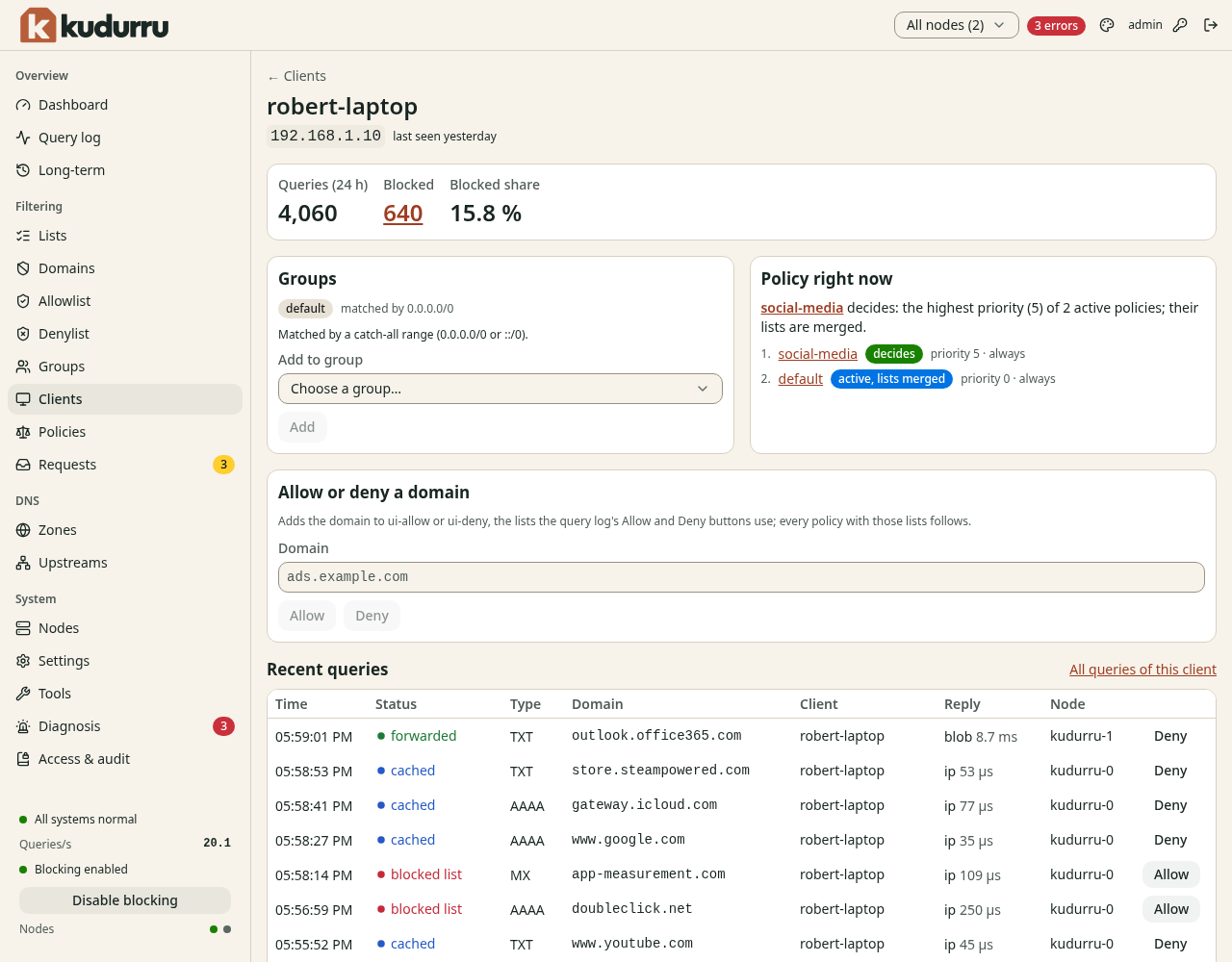
Figure 1. The client page explains which rules apply now.
The client list shows devices seen in the last 24 hours. Click a query count to open that client's log. Query details need an appropriate role.
Add the client to a group
- Click Add to group in Groups.
- Select the existing client group.
- Confirm the addition.
You can also select client rows on Clients and use Add to group. Use a DHCP reservation to keep an address matcher stable. Use Groups to create a group first.
Check the result
Send another DNS query from the device and reload its page. Confirm the expected group and deciding policy. Use Tools with As client to test a specific name.