
Repair a reported problem
Before you start
- You need the
viewerrole or a higher role to read messages. - You need permission to change the affected object or its source configuration.
Follow a diagnostic message
- Open System > Diagnosis, or click the message badge in the top bar.
- Read the message level and code.
- Read the description and any repair hint.
- Open the affected object with the message's link.
- Correct the cause at the object's configuration source.
- Return to Diagnosis after the node checks again.
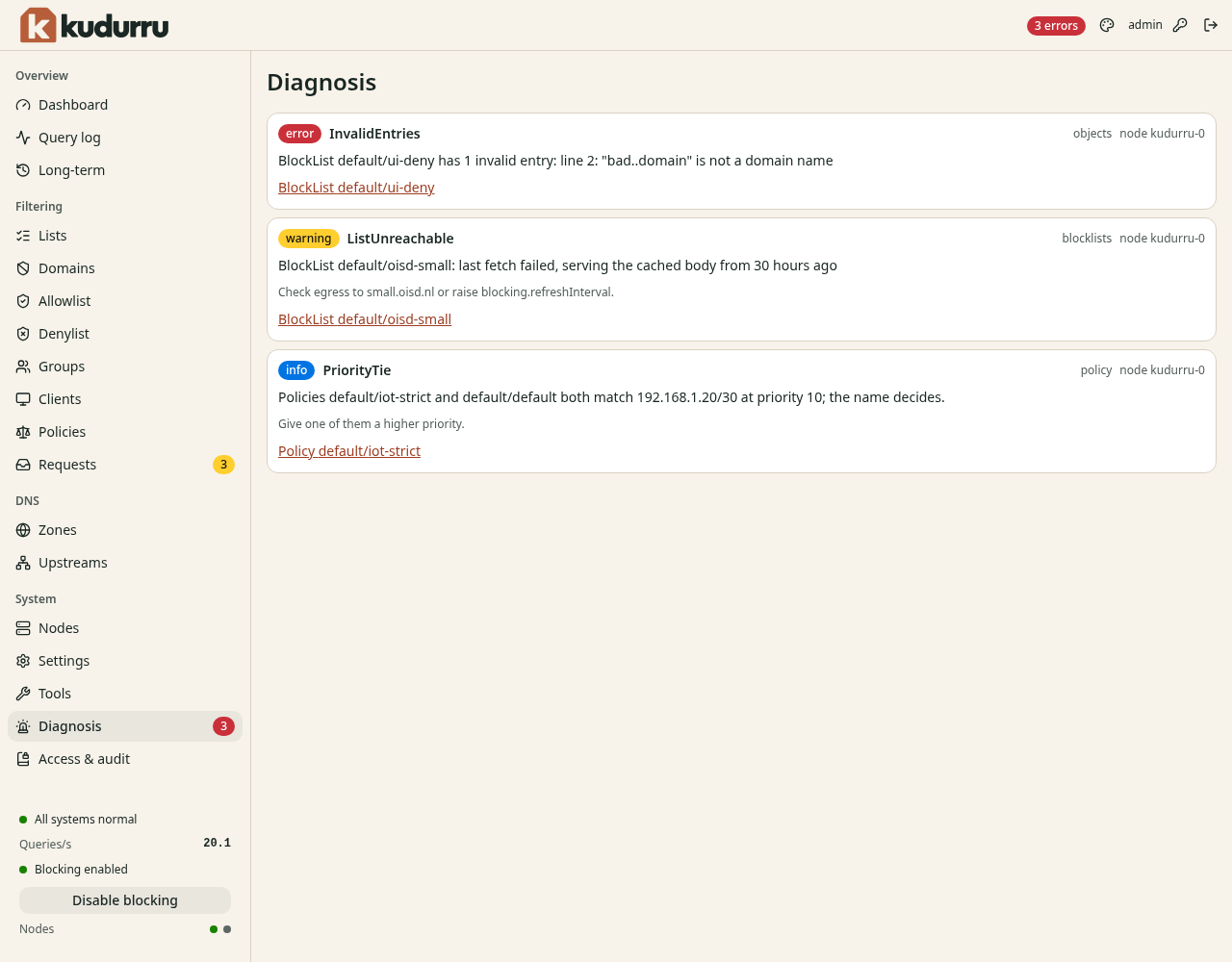
Figure 1. Each message identifies the problem and the affected object.
| Example code | Action |
|---|---|
InvalidEntries | Open the list source and correct the named invalid line |
ListUnreachable | Check the source URL and network access from the node, then refresh the list |
PriorityTie | Give matching policies different priorities |
An error means something does not work. A warning needs investigation. An info message provides context. Messages disappear when their cause disappears; dismissing a browser notice does not repair the configuration.
Check the result
The message disappears after the correction and the next check. Test the affected DNS behavior with Tools. Use the troubleshooting reference if the cause remains unclear.