
Check users, roles and sign-in providers
Before you start
- You need the
adminrole to inspect identity configuration. - You need a license key for additional roles and single sign-on.
- You need access to the configuration file or Kubernetes resources to change identity settings.
Inspect identity configuration
- Open System > Access.
- Select Identity.
- Read Local users for configured local accounts.
- Read Service accounts for program accounts and token counts.
- Read Role bindings for subjects, roles and scopes.
- Read Identity providers for configured sign-in providers.
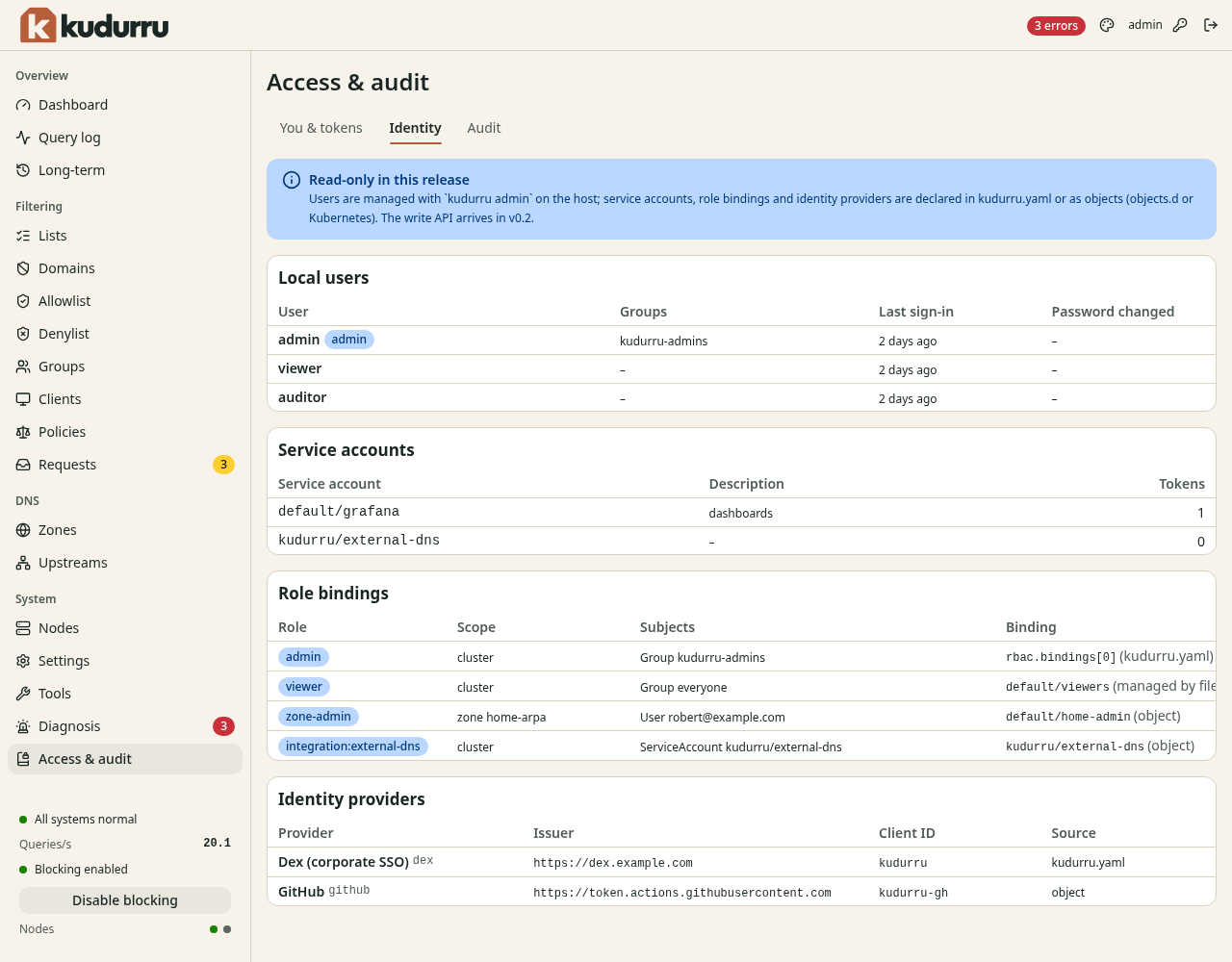
Figure 1. Identity configuration is read-only in the dashboard in this release.
A role binding connects a user, group or service account to a role.
A zone scope limits a zone-admin binding to one zone.
A sign-in provider alone does not grant access; a matching role binding is also required.
Change access at its source
Use the role binding procedure
for configuration examples and Kubernetes resources.
Use the single sign-on reference
for provider fields. Changes to file-based rbac.bindings need a node restart.
Keep a working administrator session while you validate new access.
Check the result
Sign in with the affected account in another browser session. Confirm that the intended pages and actions are available. Read its roles on You & tokens before you remove old access.