
Check node and cluster health
Before you start
- You need the
adminrole. - You need to know which nodes belong to this deployment.
Inspect the deployment
- Open System > Nodes.
- Check Ready for each node.
- Compare Version across the nodes.
- Check Zones and Snapshot age for stale configuration.
- Click Health for a node that needs investigation.
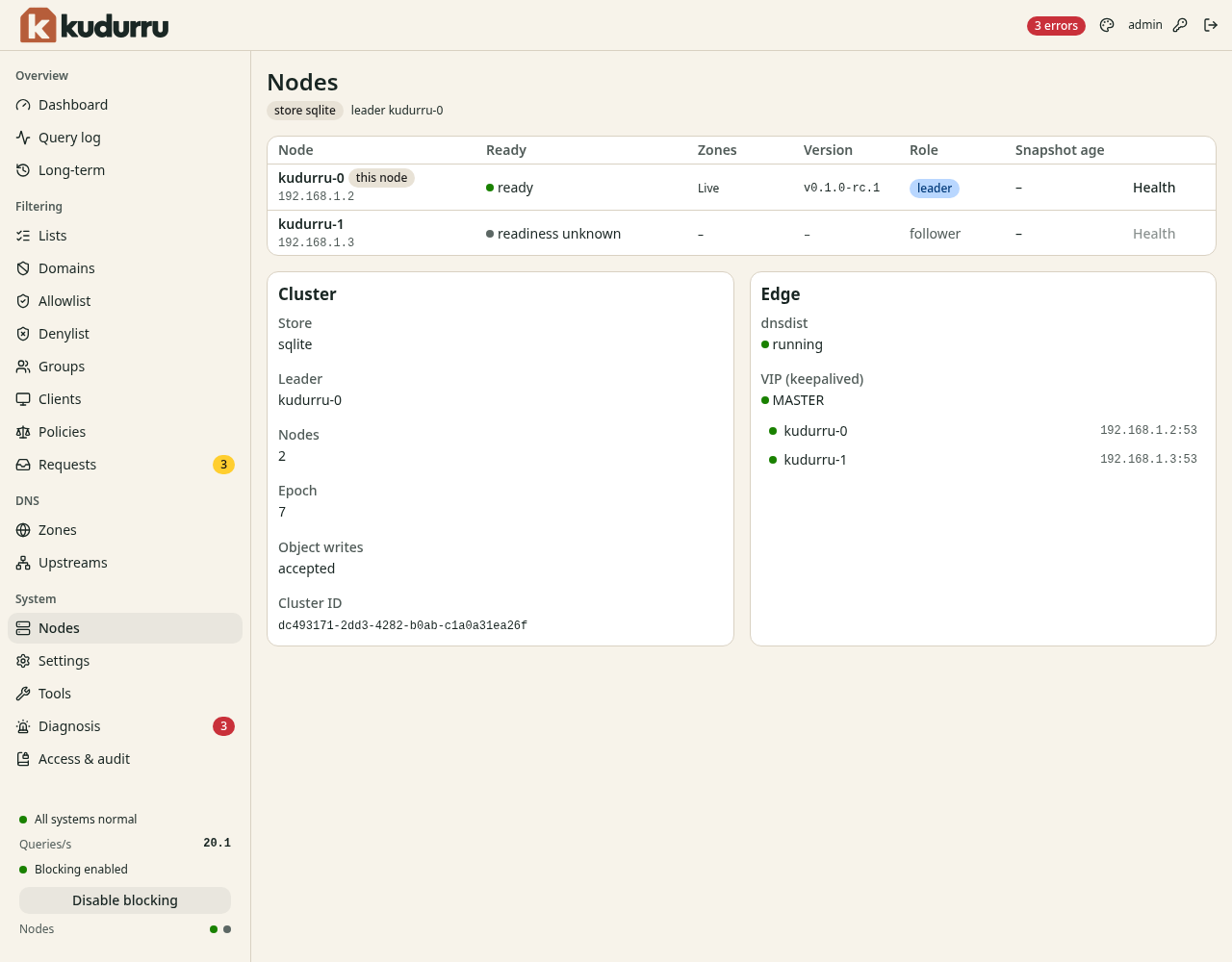
Figure 1. The page distinguishes the node serving your dashboard from the cluster leader.
The leader handles jobs that run once, such as list refreshes. Another node takes over if the leader stops. This leader is separate from the DHCP serving replica.
Cluster identifies the store, leader, epoch and object write availability. Edge reports dnsdist, the floating address and backends when configured. Use Diagnosis for linked configuration problems and Tools for API health checks.
Check the result
All expected nodes are ready and use the intended version. If a node is unavailable, treat combined statistics as partial until it recovers. Use the operations runbooks to investigate deployment failures.