
Find and explain a DNS answer
Before you start
- You need the
auditor,operatororadminrole. - You need the client address and the approximate time of its query.
Find the query
- Open Overview > Query log.
- Select the node scope.
- Enter the device address in Client.
- Enter the name in Domain.
- Press Enter.
- Click a query row to expand its details.
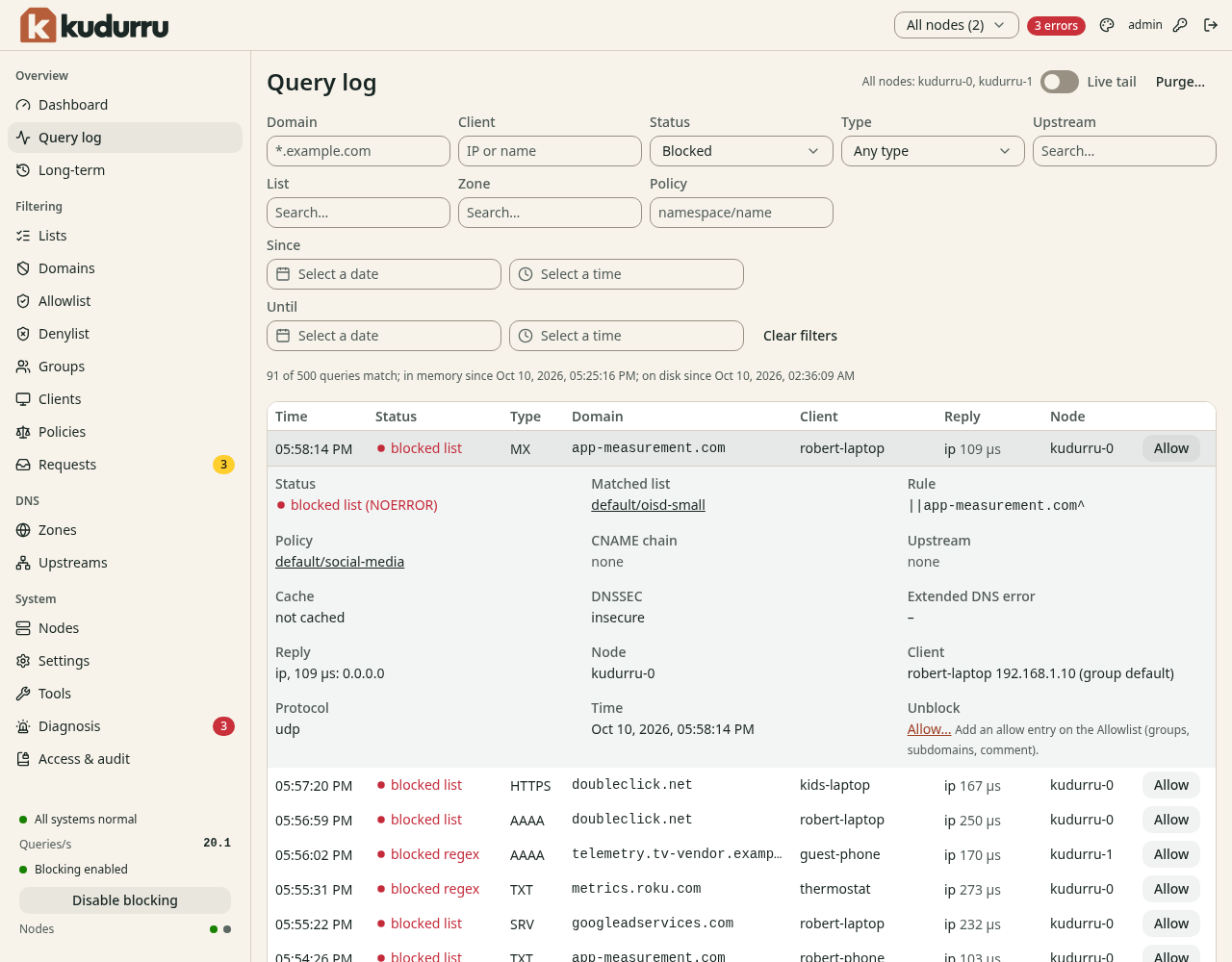
Figure 1. The matched rule explains a blocked answer.
Use Status to select Blocked or Errors. Use Since and Until
to narrow the time. *.example.com matches subdomains in Domain.
Click Clear filters to start again. The page URL preserves the filters.
Watch a retry
- Turn on Live tail.
- Retry the query from the client.
- Read the new row's status, matched list, upstream and DNSSEC result.
- Turn off Live tail to return to history.
An operator or admin can use Allow or Deny on a row.
These actions create exact entries for all clients. Use the
Allowlist guide for a narrower client scope.
If a node disconnects, results can be partial. Reload history after it recovers. Privacy settings can hide names or client addresses.
CAUTION: Purge… deletes query history. Use the purge procedure only when you intend to delete it.
Check the result
Find the test client's retry with its expected status. If its rules look wrong, check the client's group and policy.