
Test DNS and run health checks
Before you start
- You need the
operatororadminrole for these operations. - You need a DNS name and, for client rules, the client's address.
Query as a client
- Open System > Tools.
- Enter a DNS name in Name under Query (dig).
- Select Type and Transport.
- Enter the client's address in As client.
- Click Query.
- Read the status, answer, node and upstream.
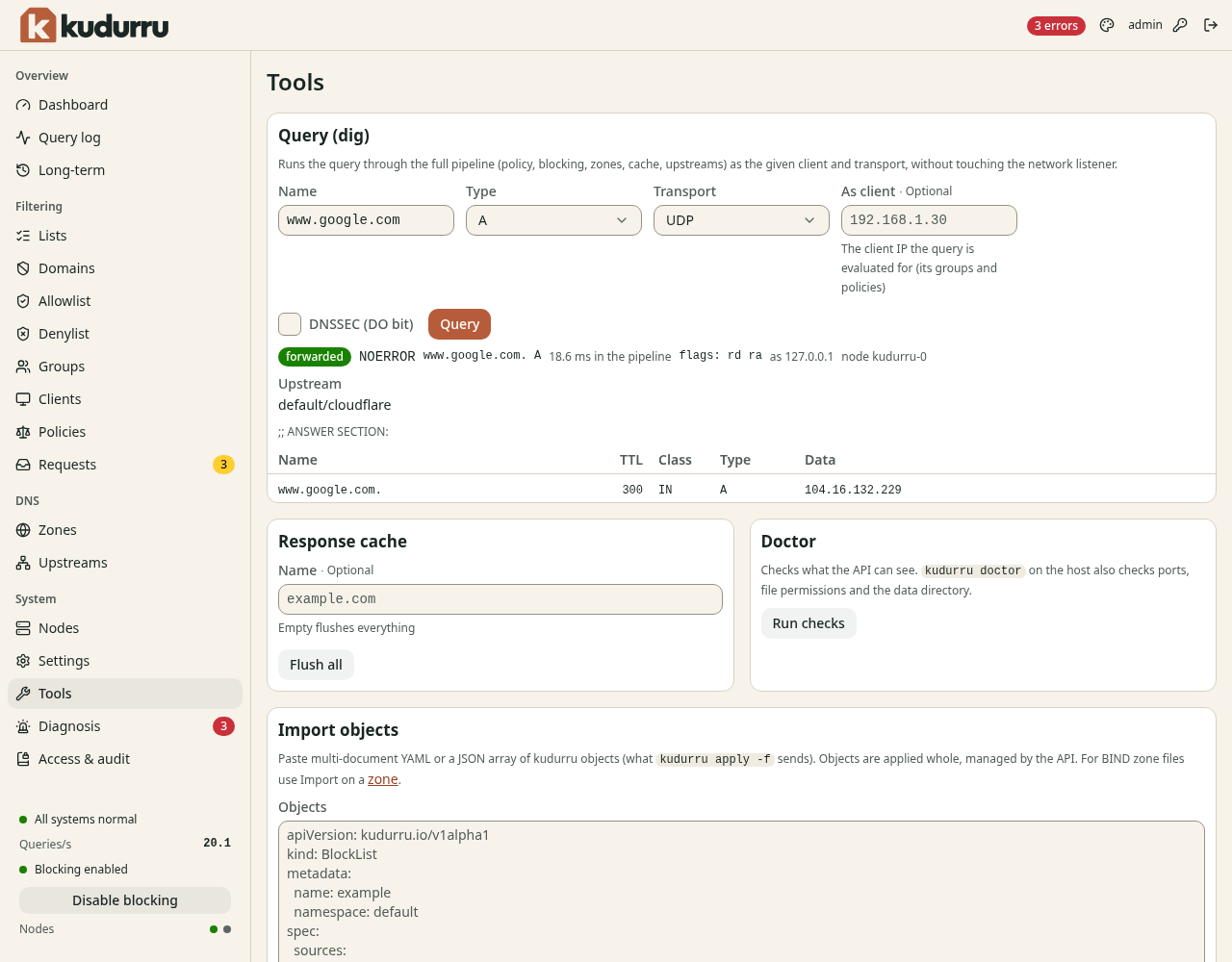
Figure 1. As client tests the groups and policies for that address.
The tool uses the DNS pipeline without sending through the network listener. A successful result does not prove that clients can reach port 53. Select DNSSEC (DO bit) when you need DNSSEC data in the answer.
Remove a cached answer
- Enter the affected name under Response cache.
- Click Flush name.
- Repeat the query from the real client.
An empty name changes the action to Flush all. The client's own DNS cache can also retain an old answer.
Run checks
- Click Run checks under Doctor.
- Read each
ok,warnorFAILresult. - Correct the reported problem.
- Click Run checks again.
These checks cover what the API can inspect. kudurru doctor on the host
also checks ports, file permissions and the data directory.
For configuration migration, use Import configuration.
The export links download objects; use host backups for full recovery.
Check the result
The query gives the expected answer and relevant health checks pass.
Run nslookup example.com from the client to verify the actual network path.